
If you’re searching for “a fix for a computer not turning on” in Madera, you’re likely dealing with a stressful, time-sensitive problem. Whether it’s a desktop that won’t wake up or a laptop that shows no lights at all, our local computer geeks serve Madera and we specialize in fast diagnostics and same-day repairs to get you back to work, school, or play—today. We serve all of Madera and nearby neighborhoods with on-site, in-shop, and pickup options.
Common reasons your computer won’t turn on
- Power supply or charger failure
- Faulty outlet or surge protector
- Dead battery or bad DC jack (laptops)
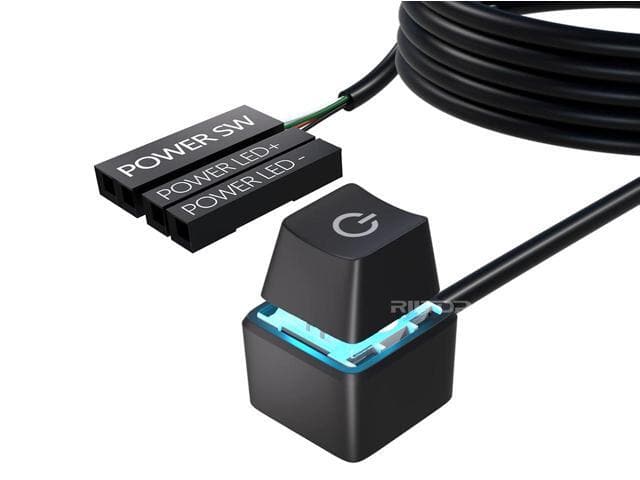
- Defective power button or cable
- RAM or storage issues preventing boot
- Motherboard or logic board failure
- Overheating, dust buildup, or fan failure
- Recent power surge or lightning strike around Madera
- Liquid damage or accidental drops
Our technicians in Madera quickly pinpoint the exact cause so you don’t waste time or money guessing.
Quick checks you can try before calling us
Try these safe, simple steps. If anything smells burnt, you see sparks, or you suspect liquid damage, stop and contact our repair shop immediately.
- Verify power: Plug directly into a wall outlet in a different room (bypass power strips). For desktops, confirm the power supply switch on the back is set to “I” (on).
- Inspect cables and charger: Check for frayed wires, bent tips, or loose connections. If your charger has an indicator light, make sure it’s on.
- Perform a power drain: Disconnect power and battery (if removable). Hold the power button for 15–20 seconds. Reconnect and try again.
- Unplug accessories: Remove printers, USB drives, external monitors, and docking stations. A bad peripheral can block startup.
- Check display issues: Increase brightness, try an external monitor, or shine a light at the screen to see if a very dim image appears (possible backlight failure).
- Look and listen: Any fan spin, keyboard backlight, or beeps can guide the fix.
If these steps don’t work and you still need to fix computer not turning on in Madera, we’re ready to help with a quick repair service.
Desktop vs. laptop no-power solutions we provide in Madera
- Desktops (Windows, custom builds, gaming PCs):
- Power supply testing/replacement
- Front panel power switch and cable repair
- RAM reseating and diagnostics
- Motherboard inspection and CMOS reset
- GPU and storage health checks
- Laptops (Windows, Mac, Chromebooks):
- OEM or high-quality charger replacement
- DC jack repair and power button board replacement
- Battery replacement and testing
- Screen, backlight, and display cable fixes
- Logic board diagnostics and replacement
- Data-first approach: Even if your device won’t power on, we prioritize protecting and recovering your files—photos, schoolwork, QuickBooks, and more.
We’ve helped hundreds of customers in Madera recover important data and restore reliable power, often the same day.
Why Madera chooses us to fix computer not turning on
- Same-day diagnostics and many repairs completed the same day
- Local technicians who live and work in Madera
- Transparent, upfront pricing after a rapid assessment
- Friendly updates by call or text so you’re never in the dark
- Quality parts and reliable workmanship
- Support for all major brands: Dell, HP, Lenovo, Acer, ASUS, Apple, and more
From homes near downtown Madera to small businesses across the city, we keep your tech running smoothly with fast turnaround times.
Our fast, expert repair process in Madera
- Easy booking: Call or message us to schedule, or walk in to our Madera location.
- Rapid check-in: We capture your symptoms and run a priority intake in minutes.
- Same-day diagnostics: In many cases, we identify the no-power cause within 60–90 minutes.
- Approval and repair: You get a clear quote. With approval, we proceed immediately.
- Quick turnaround: Common parts are in stock for same-day fixes. If a special part is required, we’ll expedite it and keep you updated.
- Final testing: We verify clean power-on, stable operation, thermals, and data integrity before returning your device.
If you searched “fix computer not turning on in Madera,” chances are you need results today. Our process is built around speed and accuracy so you can get back to normal fast.
Prevent future no-power computer issues in Madera
- Use a quality surge protector or UPS, especially during summer heat or storms in Madera.
- Keep vents and fans clean; schedule a dust clean-out every 6–12 months.
- Avoid third-party knockoff chargers; they can damage batteries and boards.
- Don’t ignore slow fans, random shutdowns, or heating—these are early warning signs.
- Back up important files to the cloud or an external drive routinely.
Proactive care can dramatically reduce emergencies and extend your computer’s life in Madera.
Ready to fix a computer that is not turning on in Madera? Contact us now
Don’t let a dead computer stall your day. If you’re in Madera, we offer fast, same-day service, clear pricing, and friendly experts who treat your data like their own. Call or message our Madera team now to book a priority diagnostic, arrange on-site help, or request convenient pickup. Walk-ins are welcome, and most “won’t power on” issues get resolved the same day.
Need to fix computer not turning on Madera? We’re ready when you are—let’s get your device powered up today.
Leave a Reply